
Requirements
Your cluster must meet these requirements before High Availability can protect a customer’s virtual servers.

Virtualization type
KVM compute resources only.

Storage
Shared LVM over iSCSI, or NFS.

Cluster size
At least 2 compute resources per failover domain, with spare CPU and memory.
Why this matters operationally
A host fails at 2am. Without HA, the pager goes off and the SLA clock starts while an engineer moves its virtual servers manually.
With HA, protected virtual servers restart automatically on a healthy compute resource. The failed hardware still needs fixing, but recovery no longer waits for a person.
What happens during a failure

Confirm the failure
Peers confirm the shared-storage lock has expired, not just that the host stopped responding.

Wait through the grace period
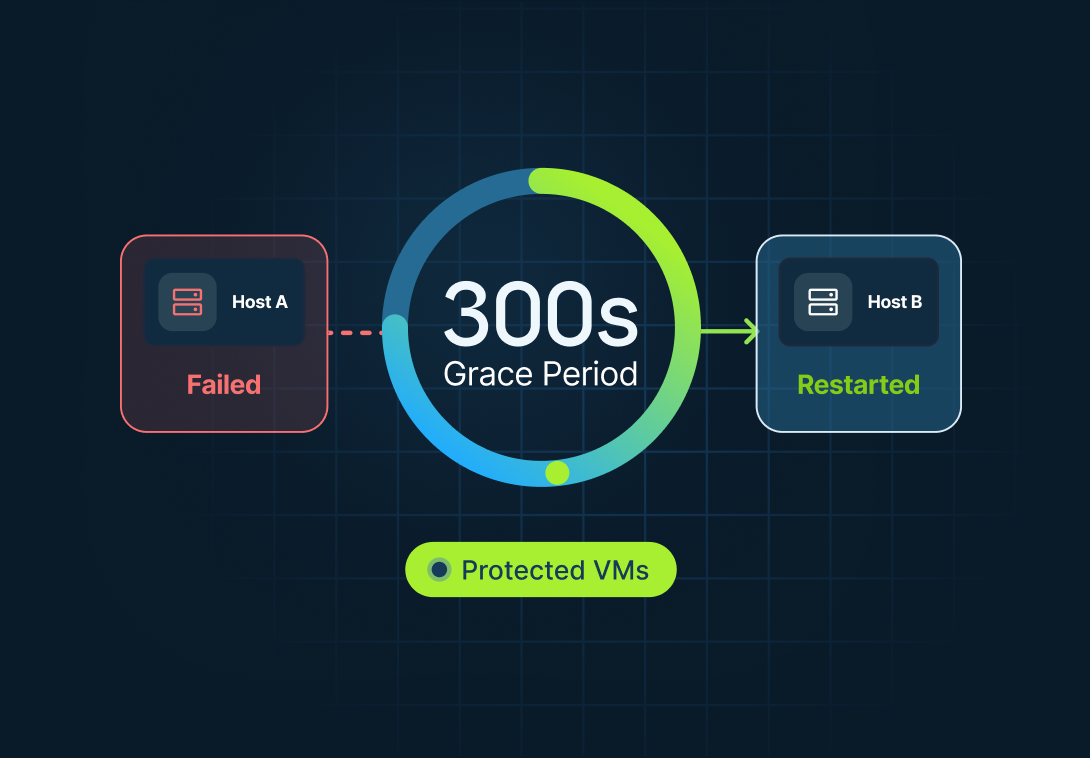
The grace period is configurable. Default: 300 seconds. Minimum: 140 seconds.

Restart on healthy capacity
SolusVM automatically restarts protected virtual servers on healthy compute resources in the same failover domain.

Back in service
The virtual servers restart with the same disk and IP address. They are not recreated.
resource A Failed
resource B
resource C
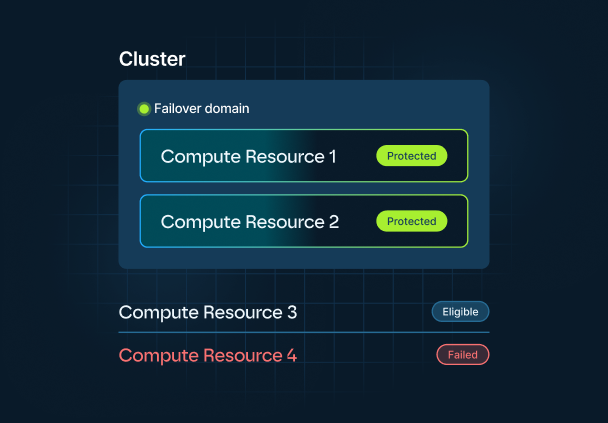
A failover domain is a predefined group of compute resources using the same shared storage. Protected virtual servers restart only within their assigned domain.
HA is one rung of the resilience ladder
Each rung protects against a different kind of failure. Start from the bottom, and test each layer before relying on the next.
| Step | Protects against | Typical recovery time |
|---|---|---|
| 1 Backups | Deletion, corruption, ransomware, major infrastructure loss | Hours to days |
| 2 Snapshots | A bad change you need to roll back | Minutes |
| 3 Disaster recovery | Losing infrastructure and restoring from backups | Minutes to hours |
| 4 Shared storage | Node loss without restoring VM disks | Minutes |
| 5 High availability | Node loss without a human in the loop | Minutes |
HA covers one failure class: a failed compute host. It automatically restarts protected virtual servers on healthy capacity. Backups and disaster recovery handle everything else, so they remain separate rungs on the resilience ladder.
What HA is, and what it isn't
HA is included with SolusVM 2, not a separate paid module.
What SolusVM High Availability does
Confirm failures via the shared-storage lock Restart protected VMs on healthy compute resources in the same failover domain Keep VM disks on shared storage and preserve IP addresses Show protection status and domain health Log recovery events and send webhooksWhat SolusVM High Availability does not
Preserve RAM state or live-migrate VMs from failed hardware Move VMs back automatically after the failed host recovers Replace backups, disaster recovery, or protect against shared-storage failure Recover more workloads than your available spare capacity and failure limits allow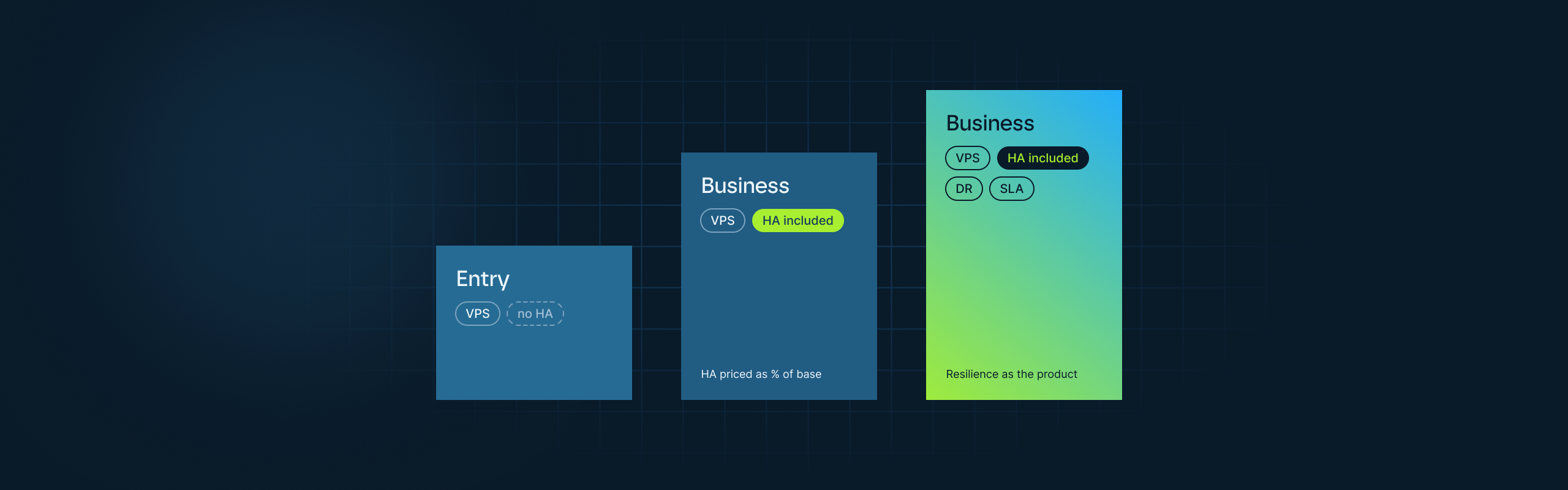
Example provider packaging, not SolusVM SKUs
HA can be priced per VM as a percentage of the base VPS price. Illustrative only. SolusVM does not sell or define these tiers.
From selling CPU, RAM and storage to selling infrastructure resilience.
Automatic restart, not zero downtime. See Requirements above.